Description of the main new features in this WhaleBooks version.
The complete change log can be found here: https://pages.whalebooks.com/#version-202507021228
Value test
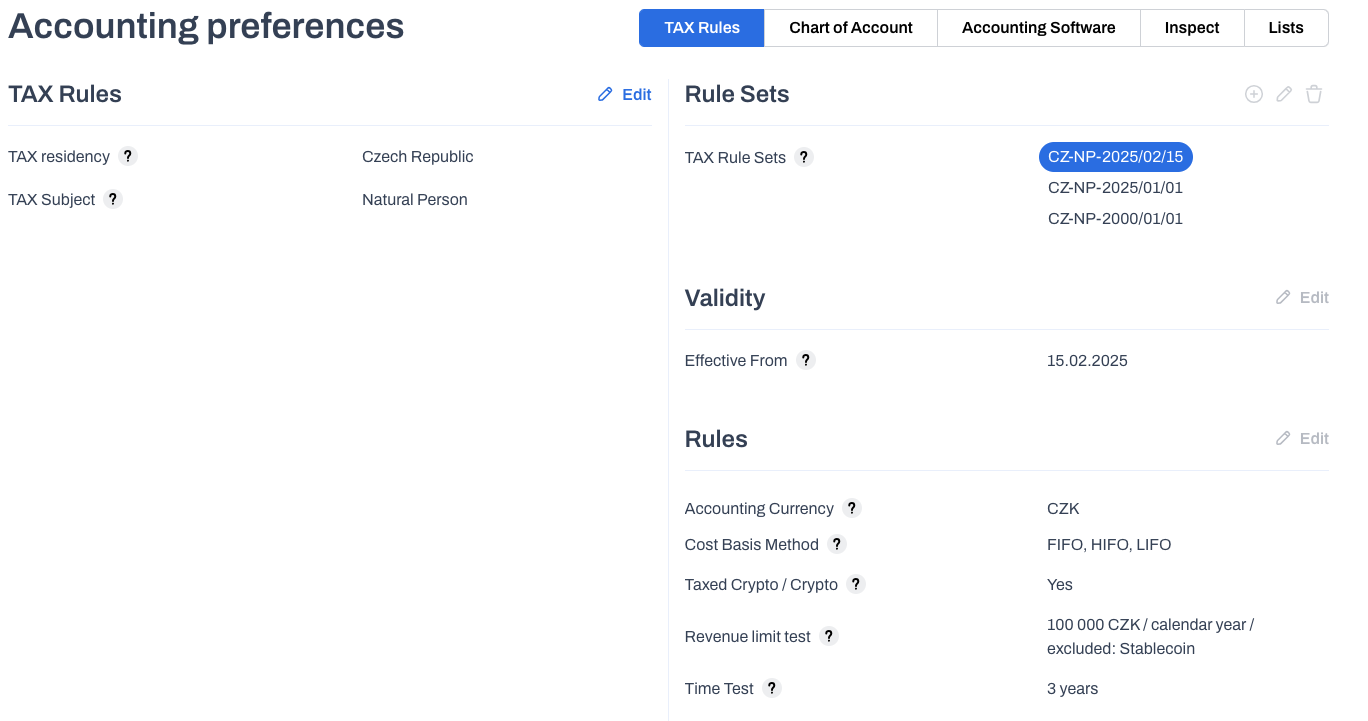
In this case, the value and time tests are intended for individuals with tax residence in the Czech Republic. This tax rule is valid from February 15, 2025.
In addition to the time test, a value test is now also available on the portfolio.

In the summary overview, a new parameter, Revenue, has been added to the Realized Profit / -Loss sections. This parameter is an indicator of annual revenue for the calendar period. It is used to evaluate the revenue conditions for applying the value test.
The value test is always applied first.
Only after it has been exceeded is the time test verified.
If the annual income does not exceed the active tax residence limit, the amount of income applied to the value test is expressed in the Value test parameter. The Time test parameter is in the Not applied status.
In the Czech Republic, the value test will start to apply from February 15, 2025. Therefore, in this first year, income from January 1, 2025, is not evaluated, but only from the beginning of the tax rule's validity, i.e., from February 15 to December 31, 2025. However, even after this shortened period, the full income limit of CZK 100,000 still applies.
If the value test limit is exceeded, its status will be set to Exceeded and the possibility of applying the time test will be reviewed. This applies to sold cryptocurrencies that meet the prescribed holding period. In the Czech Republic, the time test is 3 years and applies to sales from February 15, 2025 onwards.

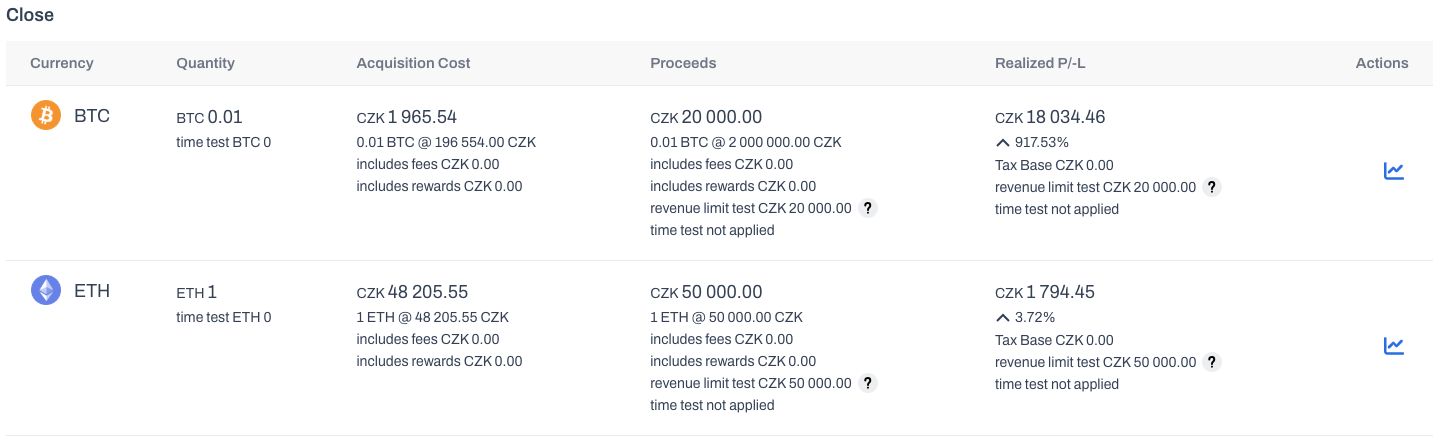
In closed positions, you can see the value test results for each cryptocurrency in the Income column.
Reports
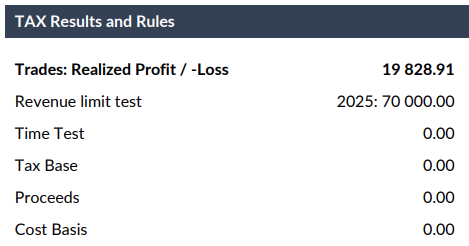
The Tax Statement now includes the value applied in the Value Test. The amount of income and expenses associated with the value test and the time test is not reported. This is because it is not included in the tax return.
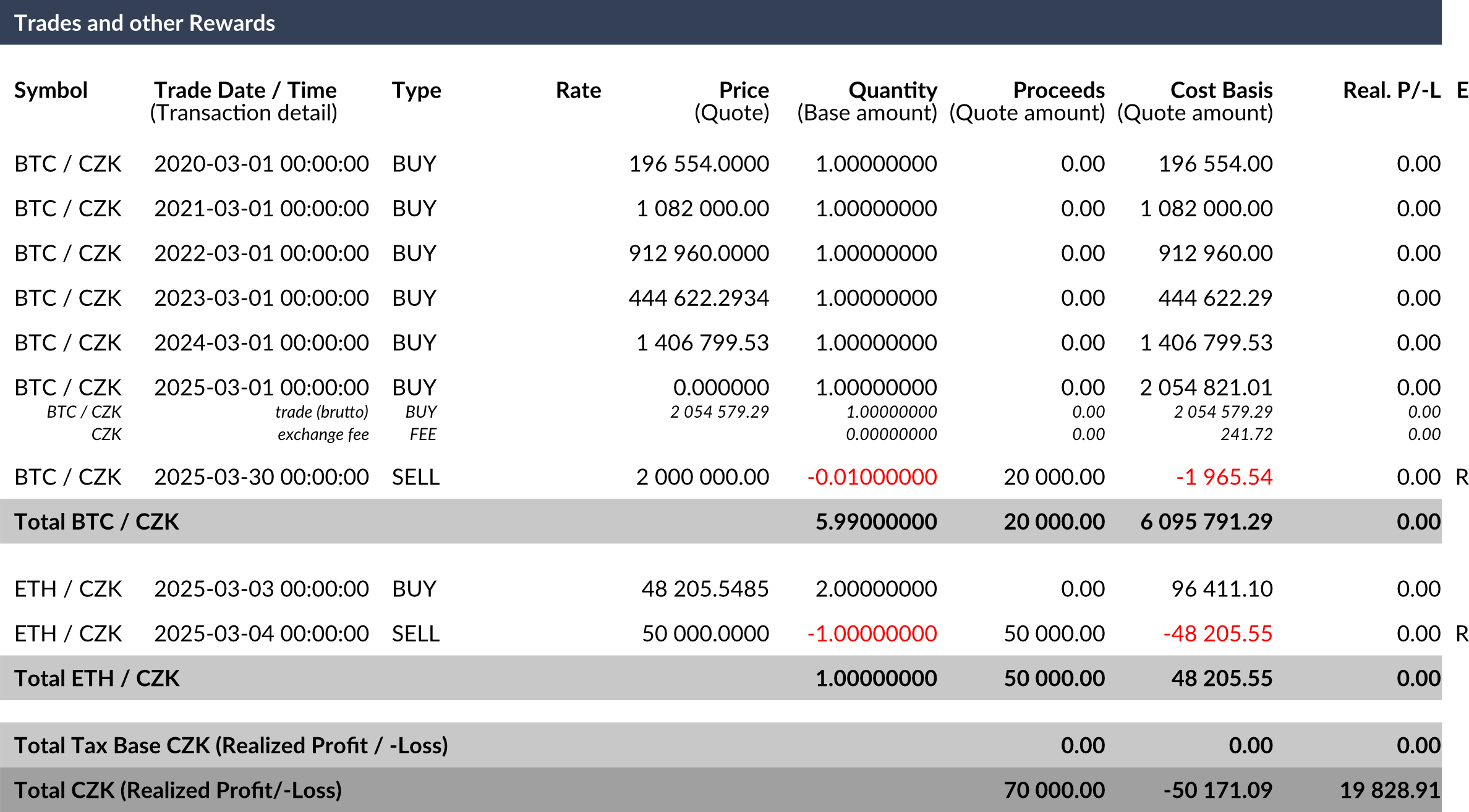
The tax return includes a new column E (Excluded), which indicates individual transactions that meet the value test (R)or time test (T) and constitute a zero tax base.
Tax rules
For residence in the Czech Republic, tax object Natural person, we have retroactively created a new tax rule CZ-NP-2025/01/01, which, as of January 1, 2025, removes the AVCO method used to calculate average acquisition costs for natural persons. This is due to the application of the actual acquisition price.
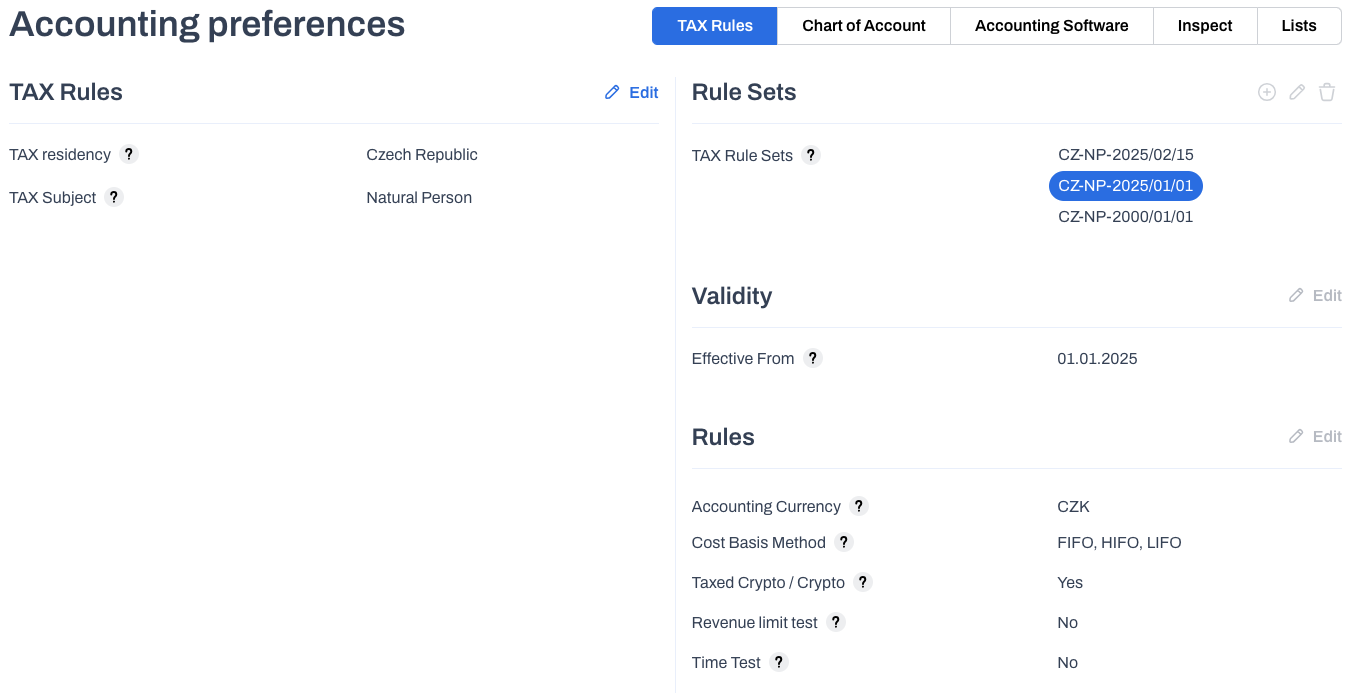
We have updated the set of tax rules CZ-NP-2025/02/15 in the Czech Republic residence for the tax entity Natural person. A new type of parameters has been created that define the value test for natural persons. This applies to income up to CZK 100,000 per calendar year, excluding income from the sale of stablecoins.
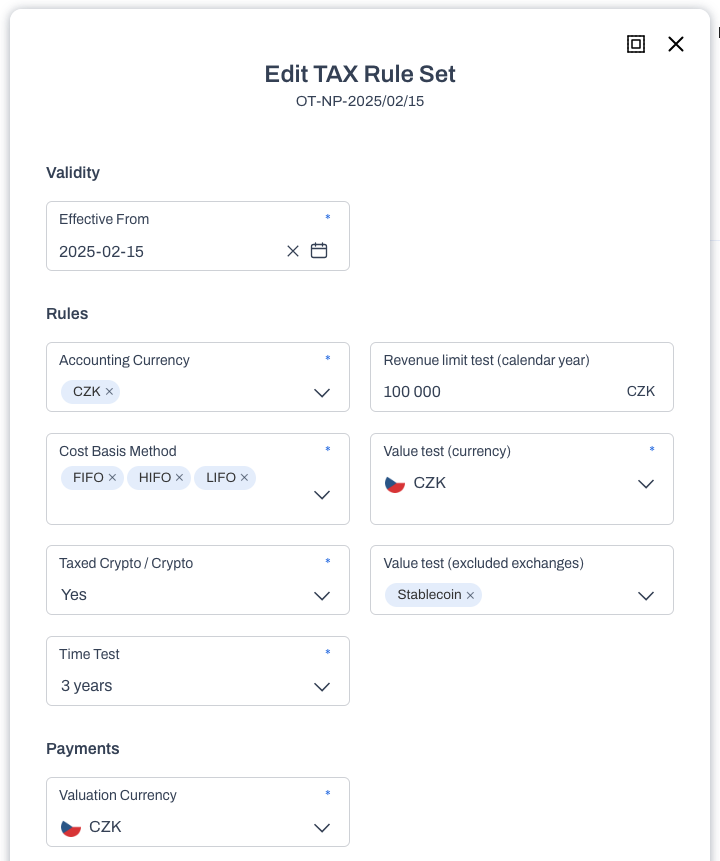
As part of the expansion of tax rule parameters, the dialog for editing tax rules has been redesigned. The interface is now better prepared for the future addition of new tax rule parameters.
Individual parameters have been divided into thematic groups and logically arranged according to priority.
The dialog for creating and editing tax rule sets is only available in the Other tax residence.
In other, fixed residences, only the menu for payment and remuneration valuation, including the moment of taxation, can be edited.
Transaction Inspect
In the data manager, the action menu for transactions has been visually optimized for future content expansion possibilities.
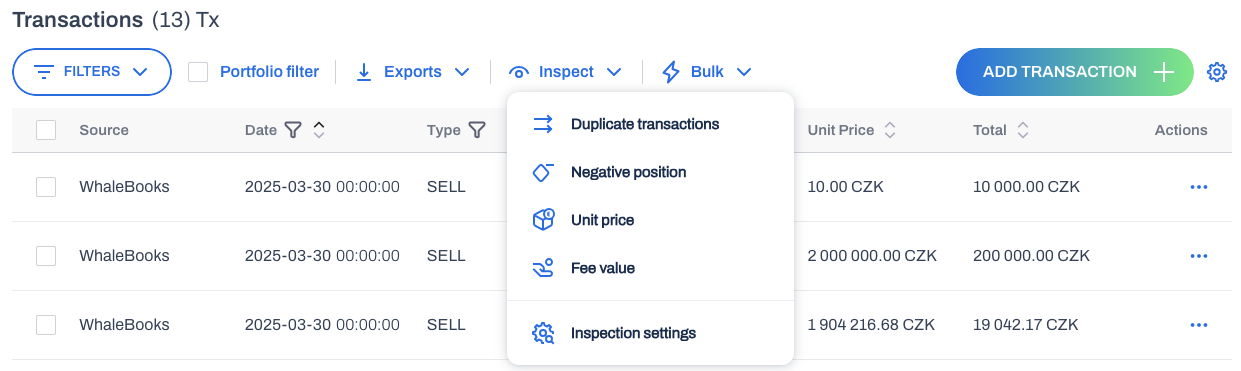
A new group of functions called Inspect has been added, which brings together control mechanisms for verifying transactions.
These include searching for expected situations
-
Duplicate transactions - Finds all duplicate transactions within the entire organization.
-
Negative position - Finds transactions that cause a negative open position in the warehouse. This is only within the current portfolio. This is because transactions can have different effects on inventory levels in each portfolio. This feature is only available if a portfolio is actively selected in the data manager.
-
Unit price - Searches for transactions with a unit price outside the expected tolerance. This is done by comparing the unit price recorded by us on the transaction date with the unit price of the transaction that we have on record even after importing the individual transaction.
-
Fee value - Searches for transactions with a fee value outside the expected percentage tolerance of the value of the currency sold or purchased. The valuation is done in USD.
-
inspect settings - Link to the inspect limit settings agenda.
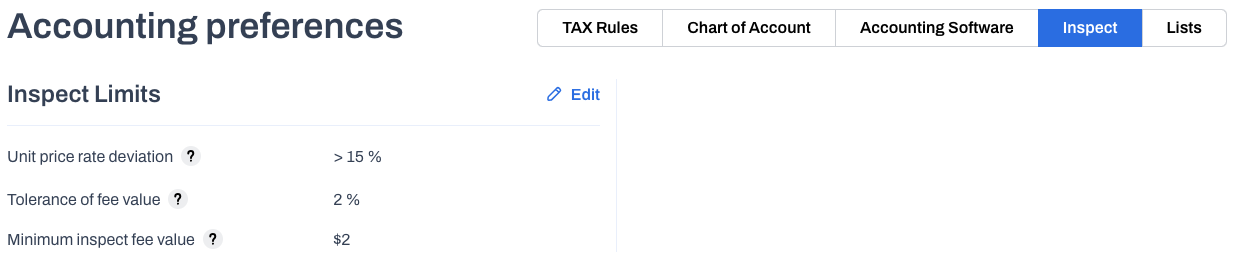
A new tab, Inspect, has been added to the main navigation menu Settings / Accounting preferences. Here, you can set user-defined tolerance limits for deviations
-
Unit price deviation - choice of tolerance > 5 or 15%
-
Fee value tolerance - choice of tolerance 1 - 10%
-
Minimum fee value for checking - $2, $5, $10
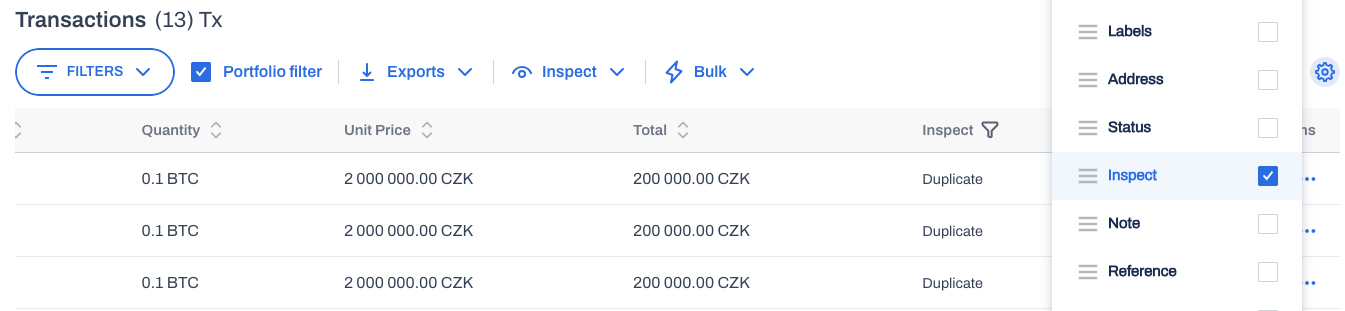
Checks must be run manually on demand. The results are displayed in the optional Inspect column, which you must enable on demand.
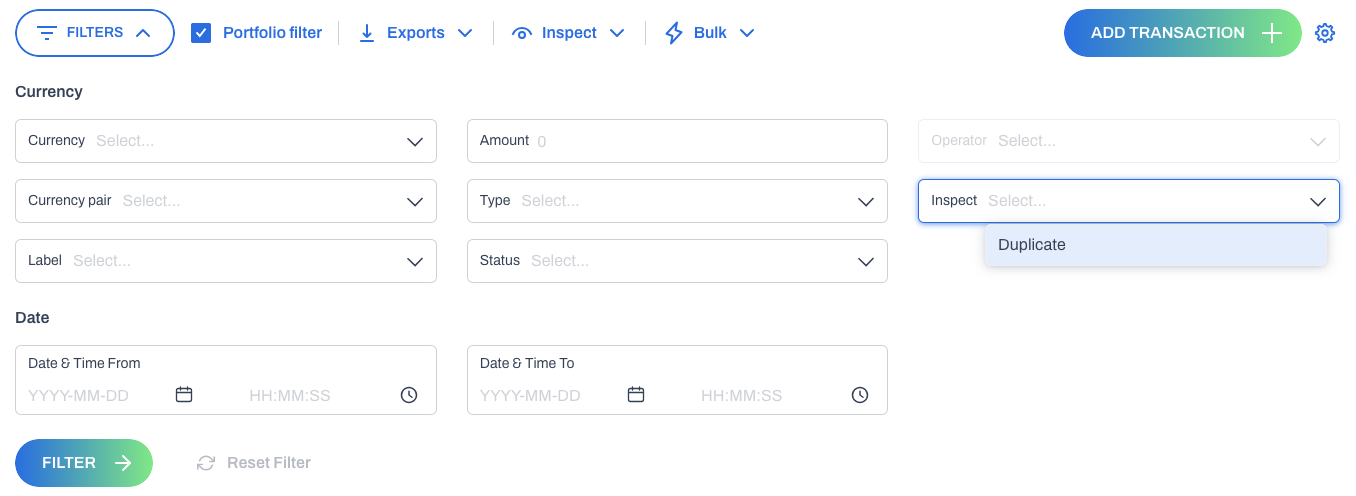
In the transaction filter, you can filter using the parameters found in Inspect.
Transaction version
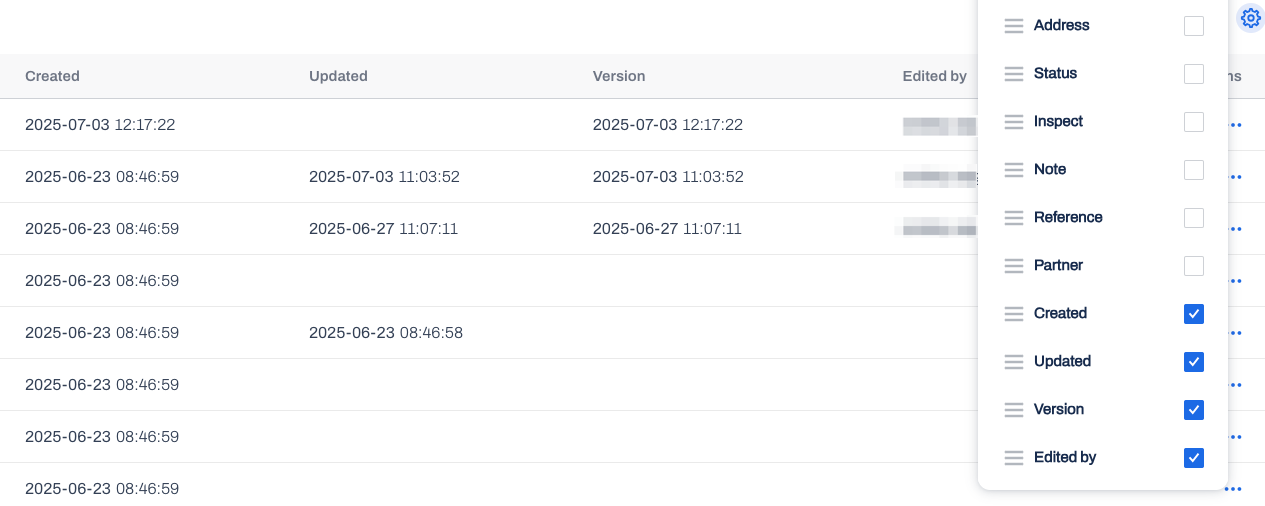
For audit trail purposes, transaction version records are now available. Each time a transaction is saved, a new version is created. The time and author of the change are stored.
You can browse between individual versions using the controller in the details of each transaction.
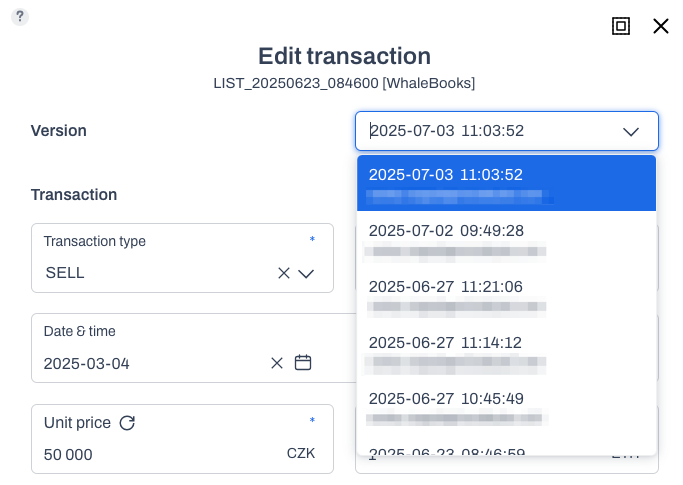
Only the actively selected version of the transaction is included in portfolio calculations and reports. If no selection has been made, the last iteration is used.
On the transaction list, you can optionally enable the Created, Modified, Version, and Edited columns. The parameter values can then be exported together with the transactions.
Reference and Partner
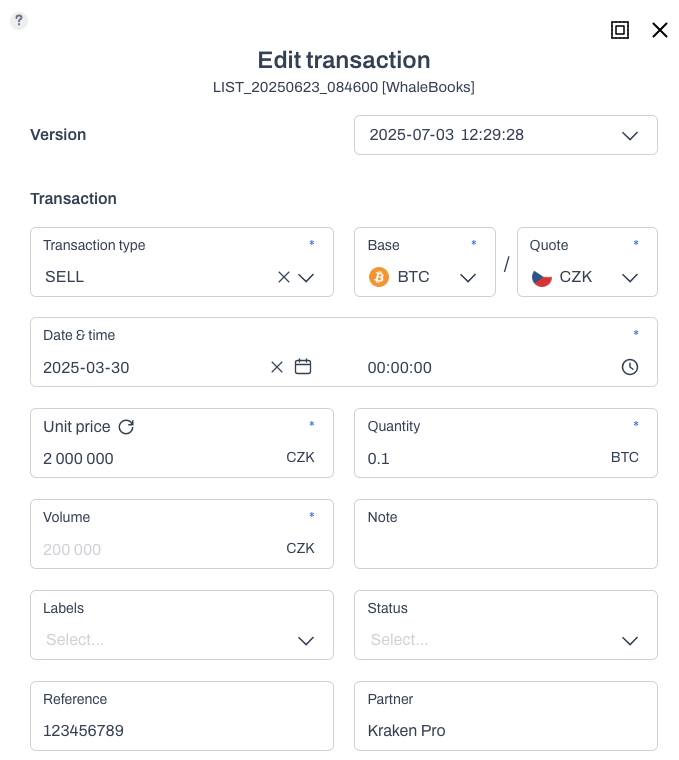
For detailed identification and accounting purposes, each transaction type has been assigned two new parameters.
-
Reference - Equivalent to a variable symbol.
-
Partner - Counterparty to the transaction (payer, payee).
The values entered will be retained even if the transaction is converted to a different type.
The Reference and Partner columns can be optionally enabled on the transaction statement. From there, they can be re-exported with the entire transaction sheet.
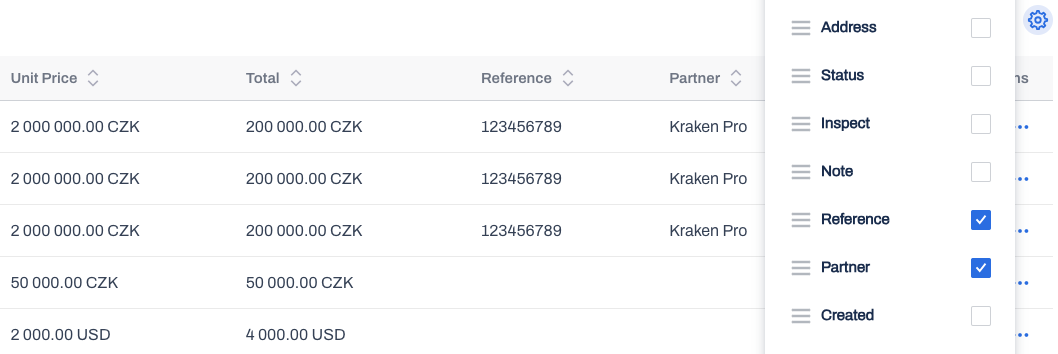
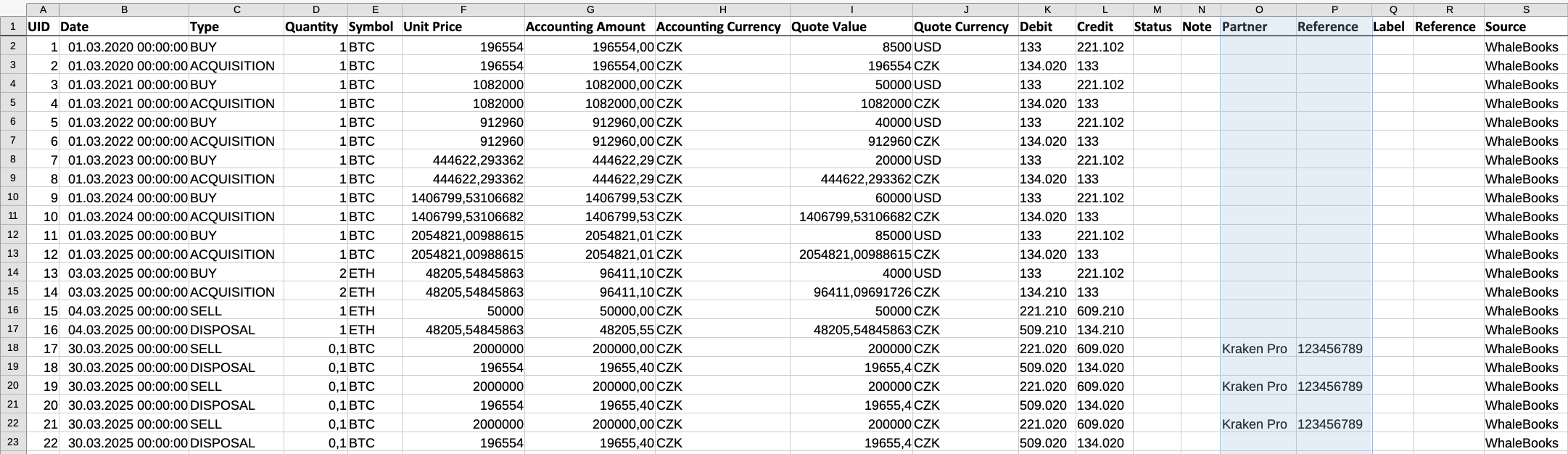
The Reference and Partner values are now also copied to all accounting report formats.