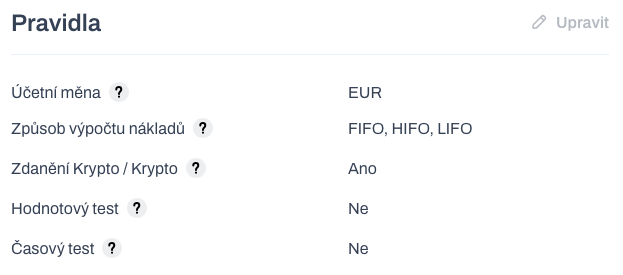
Description of the main new features of the version.
The complete change log can be found here: https://pages.whalebooks.com/#version-202508122223
Valuation of the crypto / crypto exchange
We are introducing a preference setting for crypto / crypto exchange valuation. The valuation applies to all exchange transactions that are not against FIAT currency. And you need to specify at what price they will be valued.
We distinguish between two valuation methods
By Buy (new) - The price of what I am buying will be decisive in the exchange.
By Sell (original) - The price of what I am selling will be decisive in the exchange.
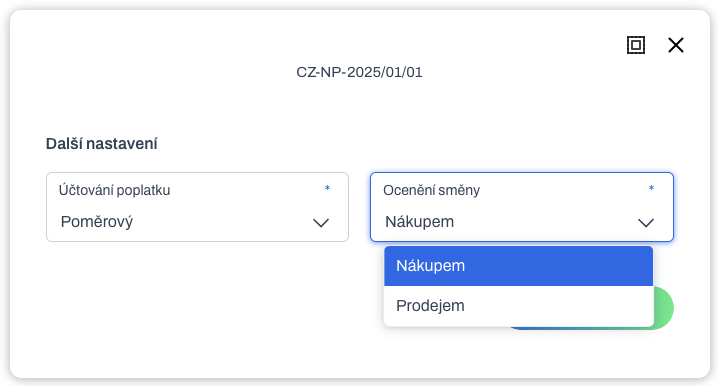
Example: Purchase 17 ETH for 1 BTC (let's assume USD is our accounting currency).
By Buy (new) - When exchanging 17 ETH / 1 BTC with the "purchase valuation" setting, the market value of 17 ETH is sought and this determined value serves as the selling value of the 1 BTC sold.
By Sell (original) - When exchanging 17 ETH / 1 BTC with the "valuation by sale" setting, the market value of 1 BTC is sought and this determined value serves as the purchase value for the 17 ETH purchased.
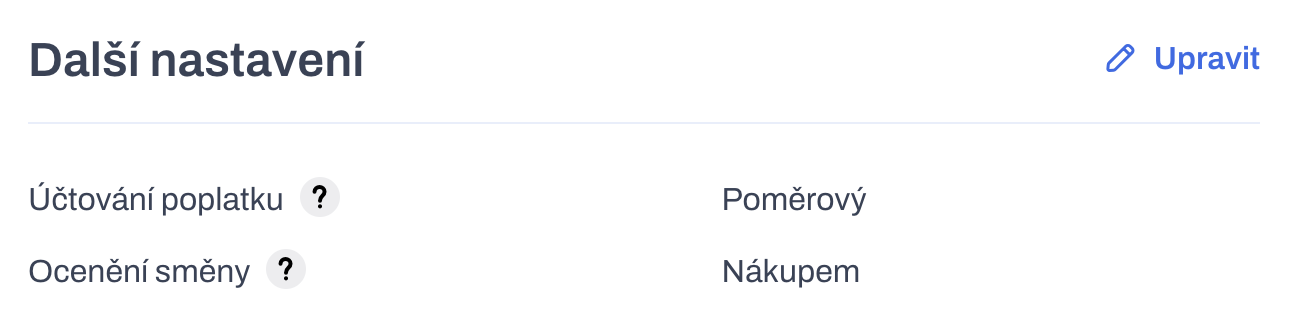
Preferences can be set by the user in Settings / Tax rules / Additional settings. The default setting for the Czech Republic is Sale from 1 January 2025.
Sorting records
Table listings contain manual column sorting. The user can choose ascending or descending sorting of values in a column or reset them. Only one column in the table can be sorted at a time. The sorting in the table is saved in the user preferences of the interface. Sorting is available for most tables and columns, but may not always be available in some places.
Transaction type conversion
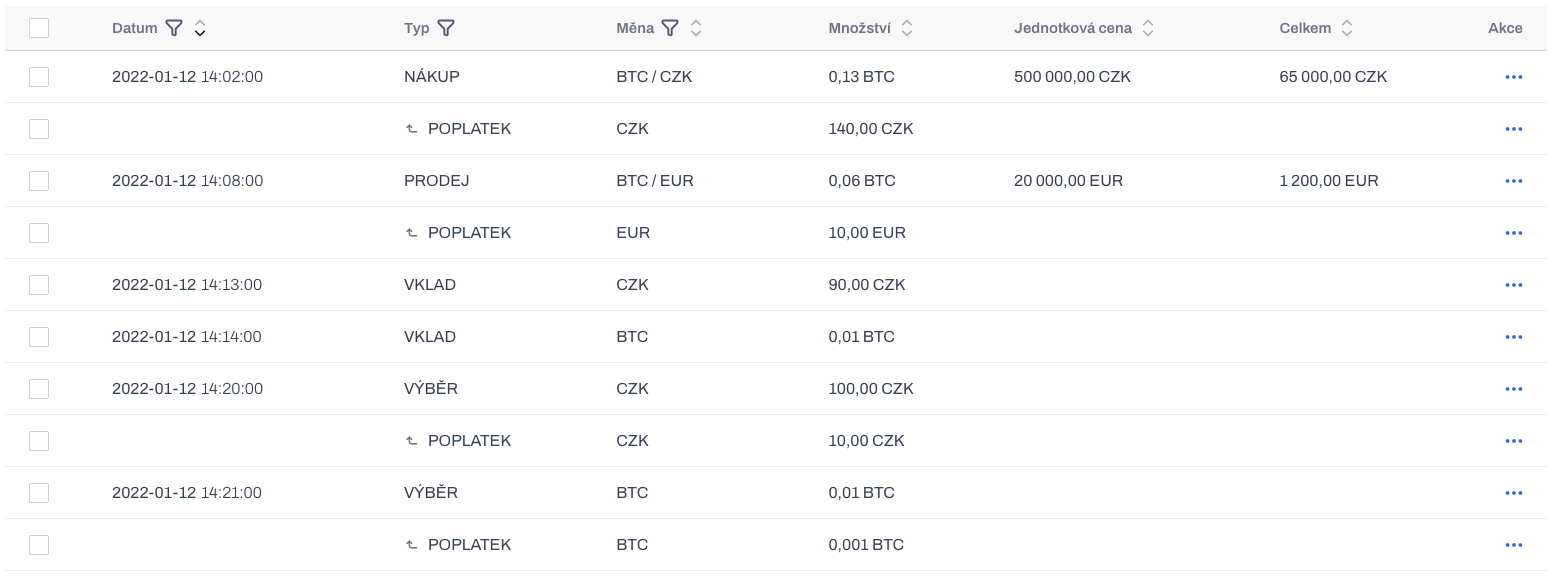
It is no longer possible to directly change the type of an individual transaction in the transaction details. The input for the transaction type is disabled. To change a transaction, you must now perform a transaction type conversion.
This feature is now available for all transaction types. It only provides permitted target types based on the current transaction type.
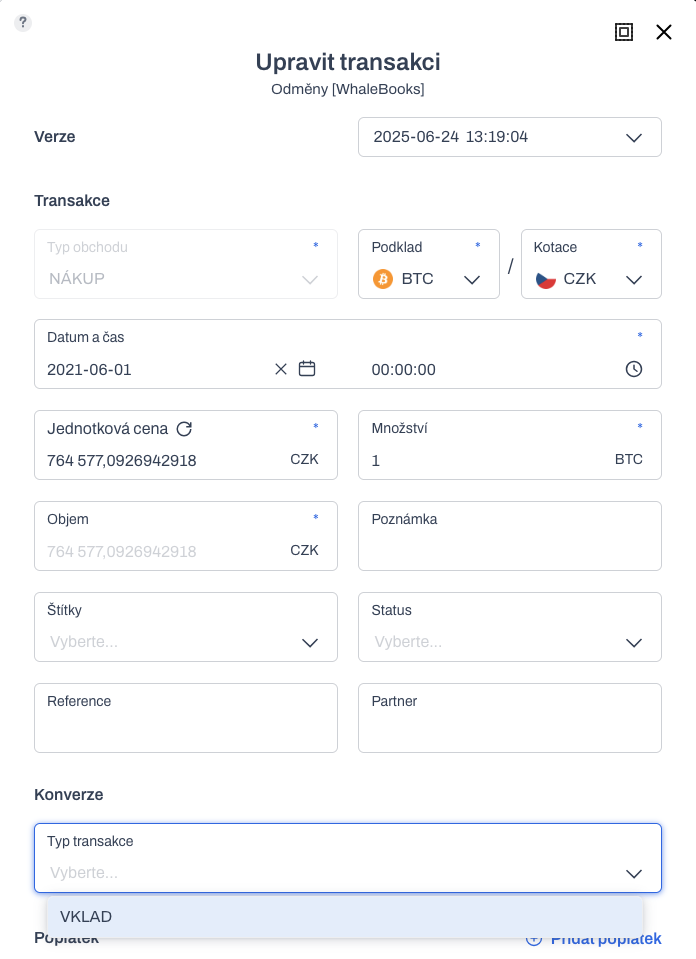
Each conversion creates a new version of the transaction that can be reverted. This means you never lose the original transaction data.
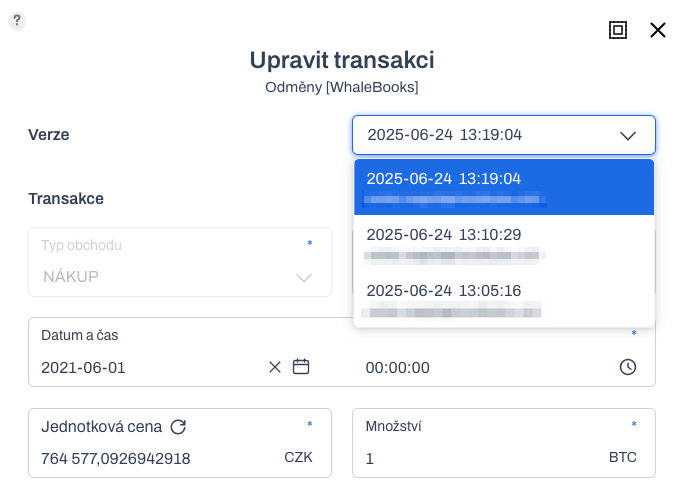
WhaleBooks format update v3.3
Updated internal WhaleBooks format in the new version 3.3 for importing and exporting transactions.
Complete specifications: https://whalebooks.com/help/csv#whalebooks
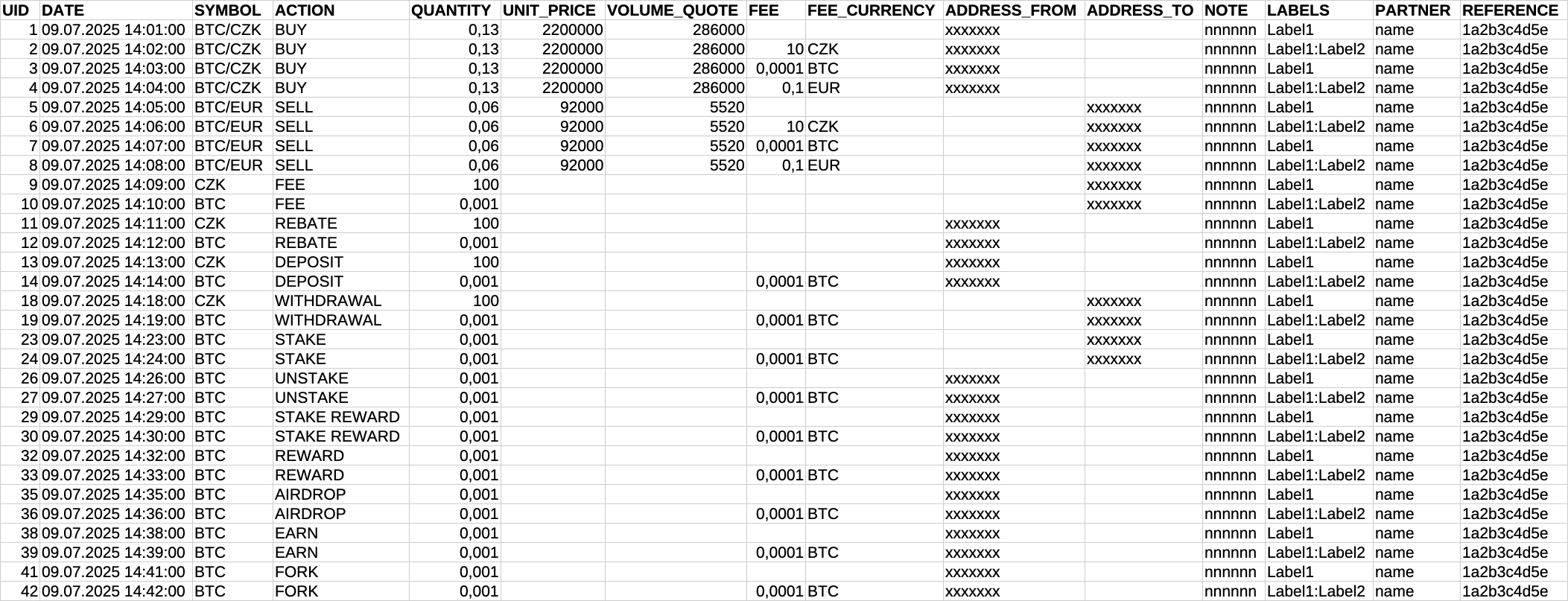
Reflects changes in the structure of transaction detail data.
-
Removes the REBATE column, which created a linked sub-transaction.
-
Adds the PARTNER column - optional designation of the counterparty to the transaction.
-
Adds the REFERENCE column - equivalent to the variable symbol.
Supports multiple date and time format variants
-
DD.MM.YYYY HH:MM:SS
-
DD/MM/YYYY HH:MM:SS
-
DD-MM-YYYY HH:MM:SS
-
YYYY.MM.DD HH:MM:SS
-
YYYY-MM-DD HH:MM:SS
-
YYYY/MM/DD HH:MM:SS
The entry supports single-digit and double-digit numbers. The time can be entered without seconds or not at all.
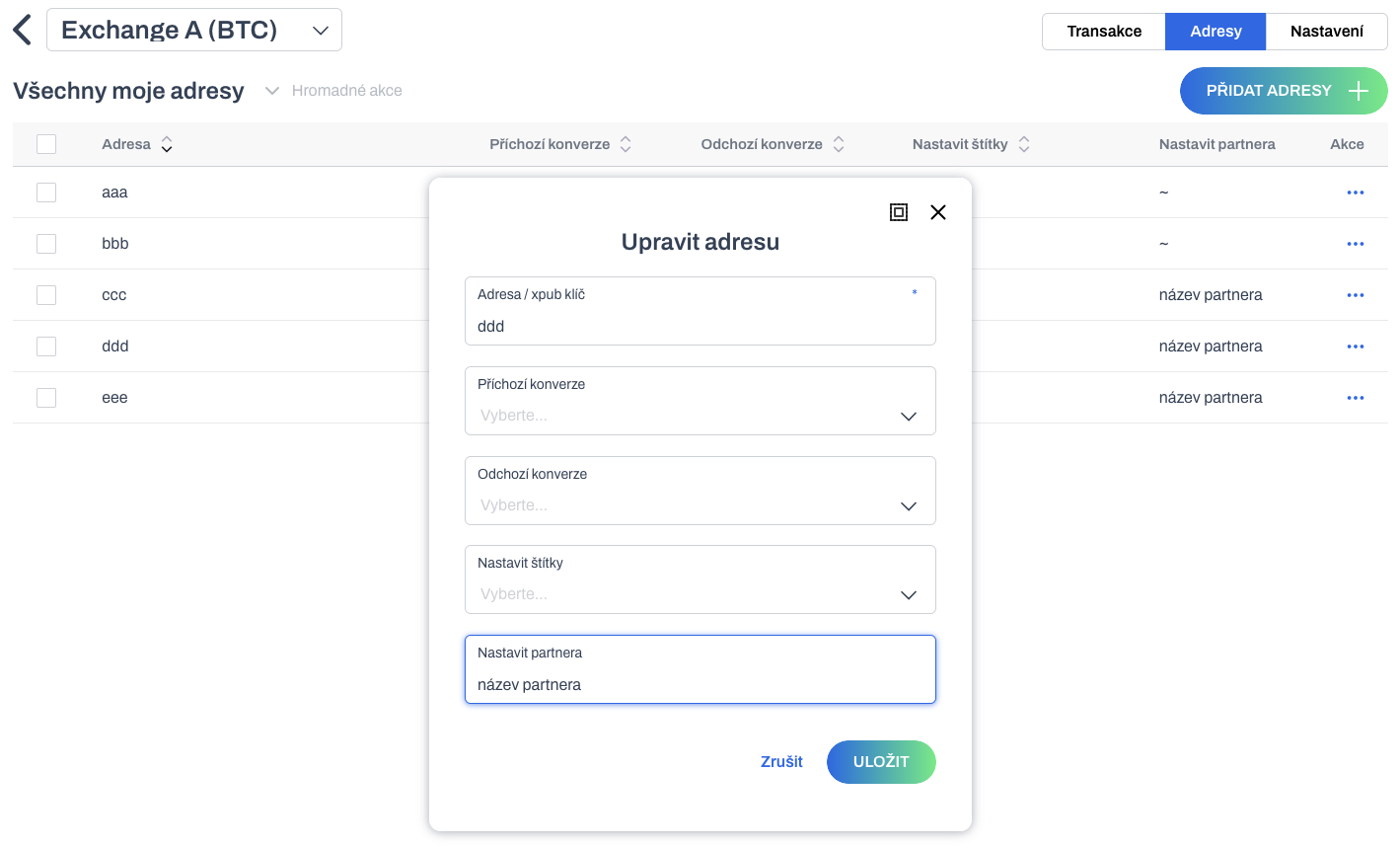
Setting the transaction partner based on the address
For some time now, it has been possible to automatically convert and label transactions based on their address via asset accounts. It is now possible to enter the Partner information into the transaction based on a predefined transaction address.
Pre-accounting of payments
In Settings / Chart of accounts, a new agenda for pre-accounting payments has been added. This is pre-accounting specifically designed for posting future transactions of the Payment type.
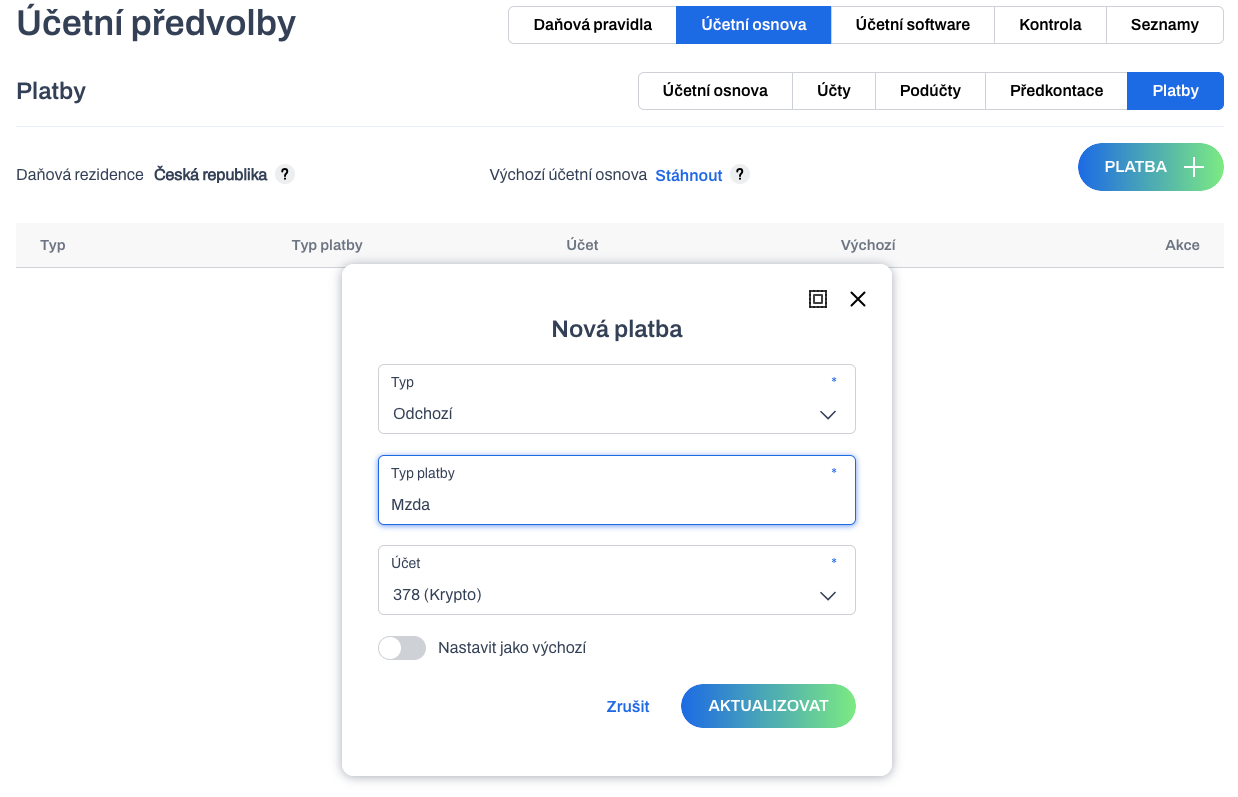
The agenda contains a default list of pre-accounting entries, which can be expanded by the user. Pre-accounting entries are divided into incoming and outgoing according to the direction of payment. (to be added in the next release)
It is possible to set one default pre-accounting entry from each group. This will be the default preselection for new payment transactions. Pre-accounts can also be added and deleted by the user.
Configuration of stocking and unstocking in the accounting report
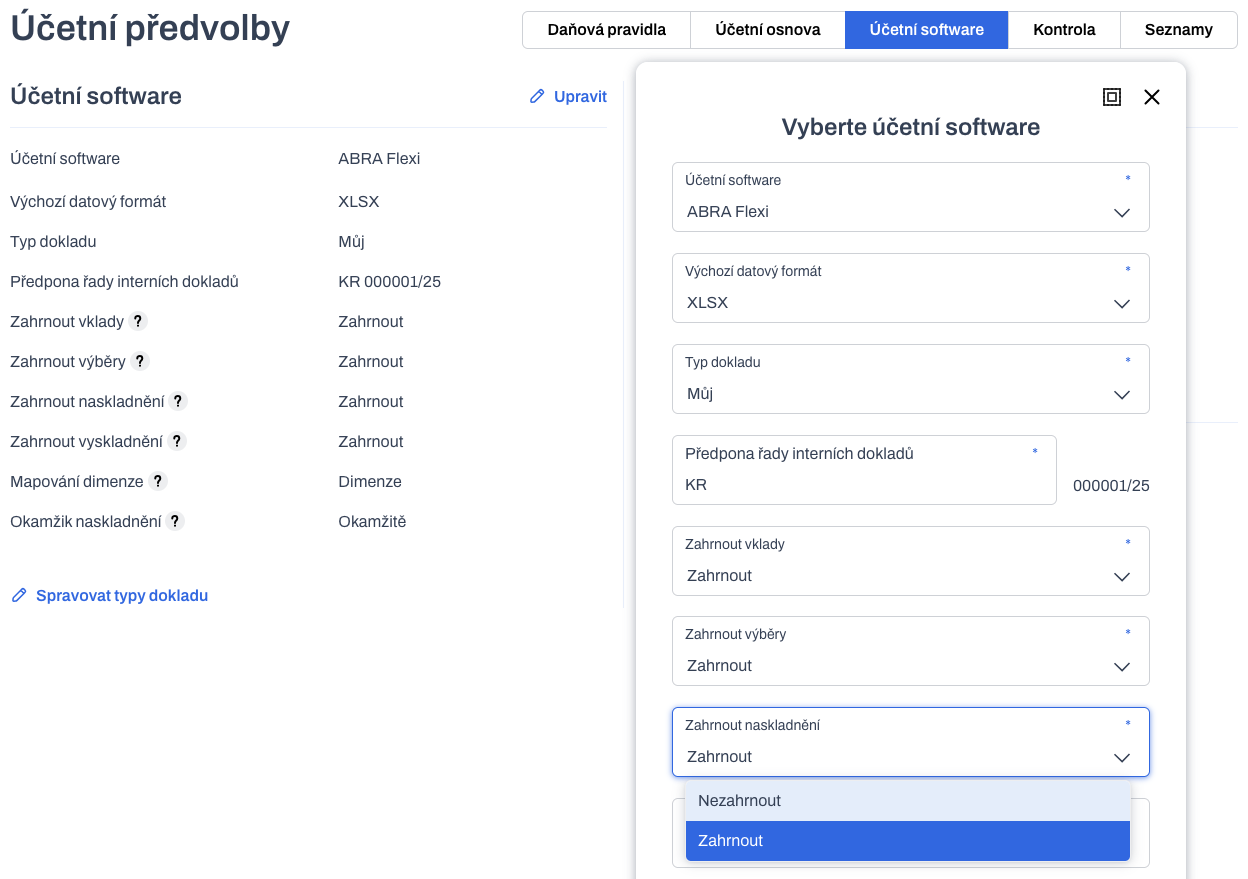
For the accounting report, it is possible to define the reporting of system transactions for Stocking and Unstocking. The default values are set for reporting.
The accounting report preferences are available in Settings / Accounting software / Edit.
Increased limits and distribution of accounting reports
Extensive accounting reports were previously limited to 100,000 lines. This meant that a large number of transactions had to be exported multiple times. Now, the line limit has been increased by 2 or more times, depending on the organization's plan.
-
Free - 50 transactions
-
Personal - 100 transactions
-
Company - 200,000 transactions
-
Accounting - 300,000 transactions
-
Enterprise - 500,000 transactions
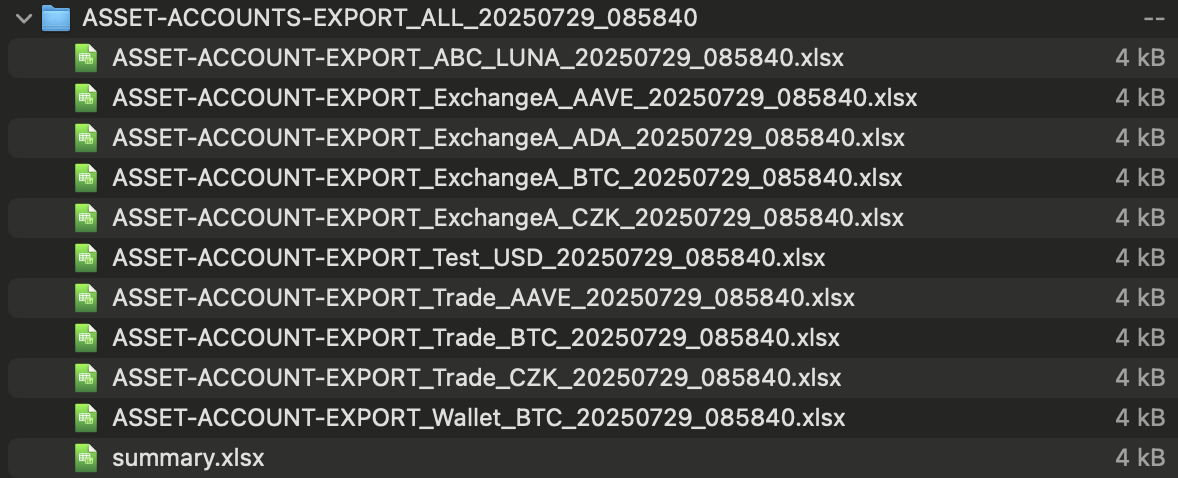
All transactions in the specified portfolio interval are now exported. When the limit is reached, new files with reports are created. This continues until all transactions in the requested interval are processed without an upper transaction limit. Multiple files are packaged in a ZIP archive.

Change in the output format of asset account reports
All asset account reports are now in XLSX file format. The original format was CSV.
Tax Residences
New tax residence for Spain.