Every newly registered user will automatically get a basic plan called Free for their account.
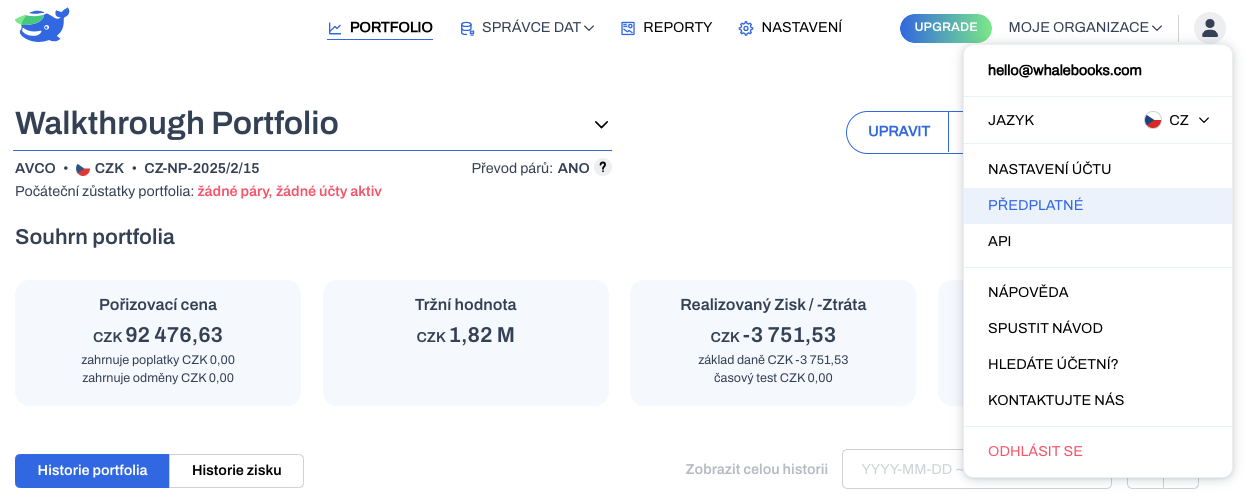
We will now guide you through the process of selecting a plan in the WhaleBooks interface. Click on the My Account avatar in the top right corner. And in the drop down menu, select Subscriptions.
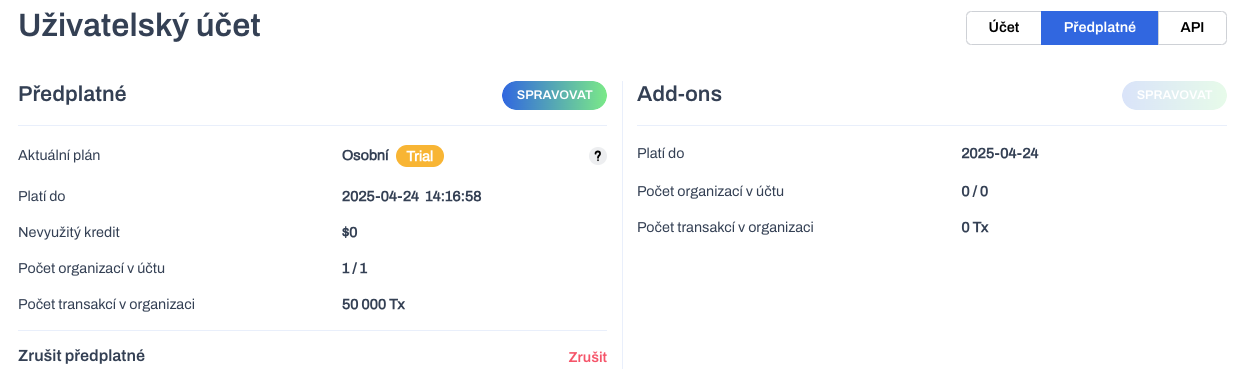
The Subscriptions interface will appear with a summary of the current status for the logged in user account.
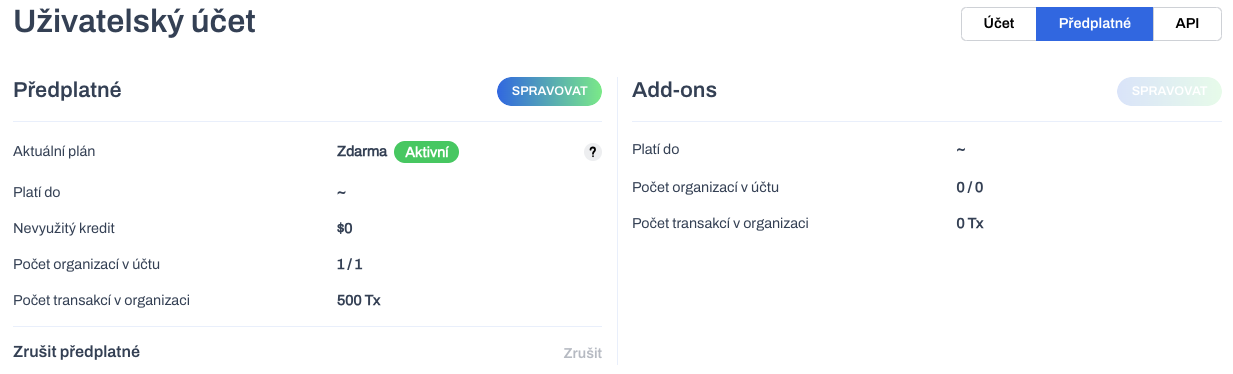
Current plan - in addition to the name of the active plan, you will get information about its status.
-
Trial - a trial period, without payment, which after expiration will automatically make an attempt to pay. If successful, it will go to active status. Otherwise, the plan will expire and switch to the Free plan.
-
Active - Paid usage period, on expiry payment and renewal will occur automatically.
-
Cancelled - subscription with full plan parameters, but no renewal or payment will occur upon expiration. You will automatically be switched to the Free plan.
Unspent credit - shows the proportion of the unspent value of the amount already paid. This credit will be used when upgrading to a higher plan. On the other hand, when downgrading, the unused credit will be applied only when the current plan is next renewed.
Number of organizations in the account - the current number of organizations you own / the maximum number of organizations the current plan allows you to own.
Number of transactions in an organization - the maximum number of transactions that can be imported into each individual organization you own under the current plan.
The Manage (Subscription) button will take you to the page of available pricing plans.
Your current price plan is highlighted. The Free plan is typically the default status for newly registered accounts.
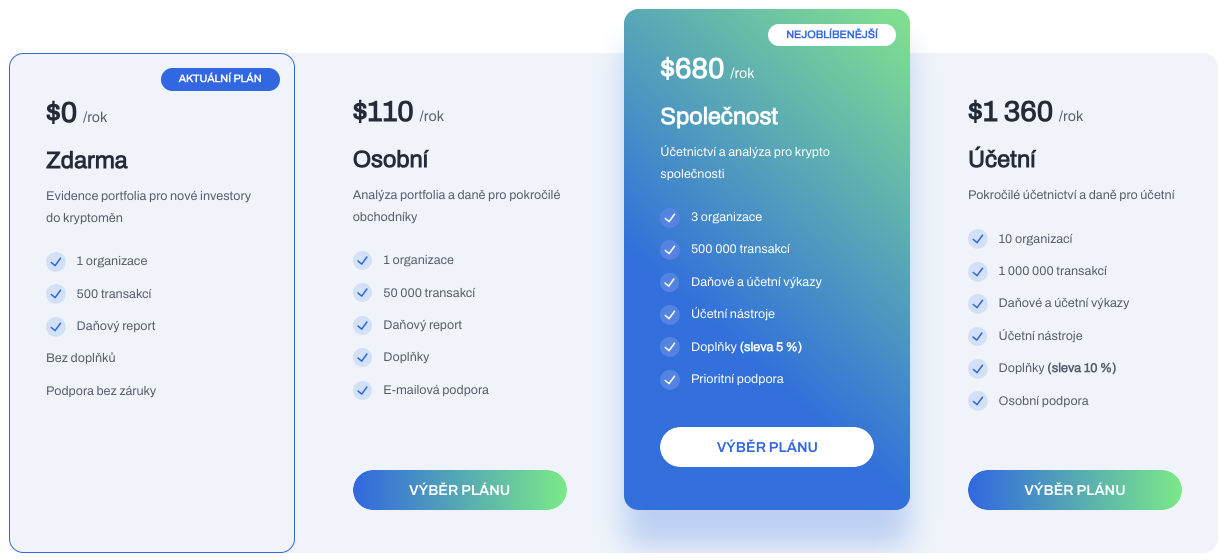
Click the Choosing a plan button to go to the purchase wizard for the selected pricing plan.
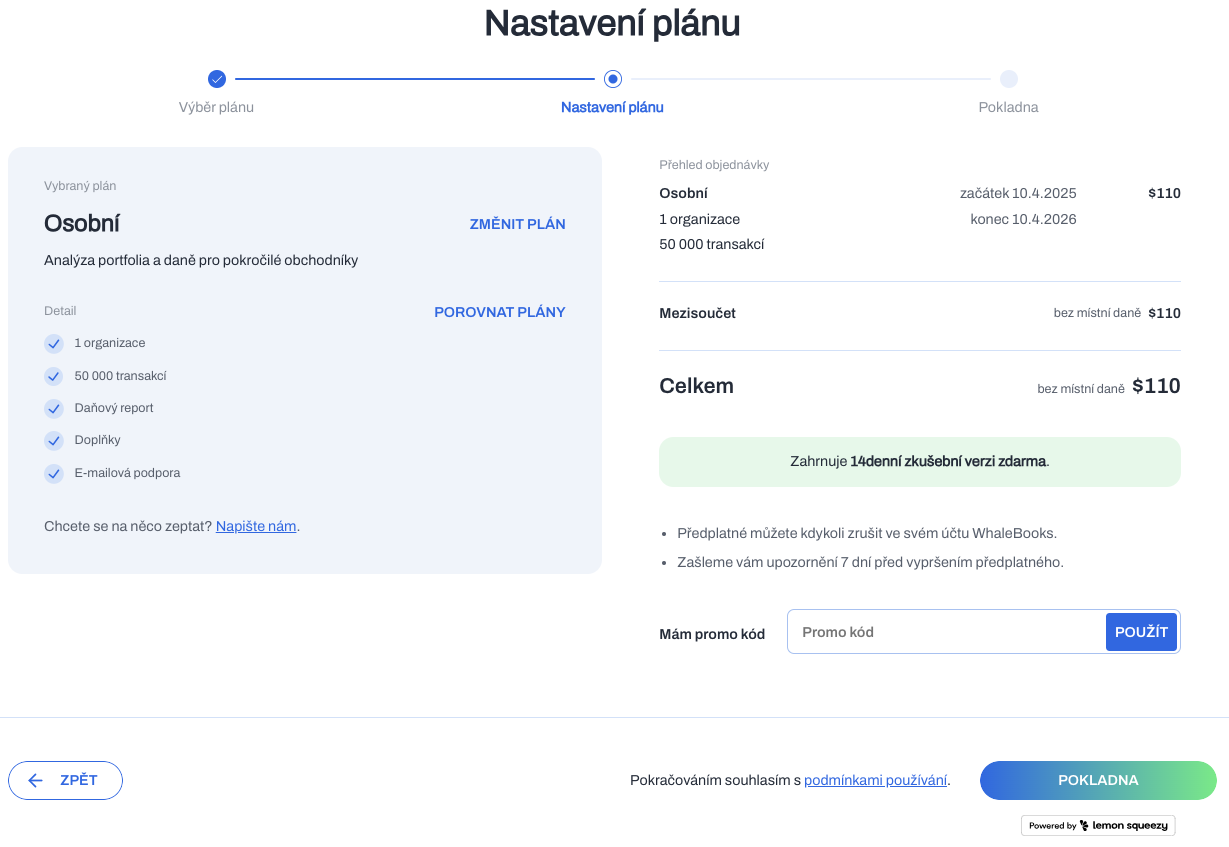
The left side shows the selected plan and its basic parameters. You can also use the links to select another plan or to compare the properties of all plans.
On the right, you will find estimated information about the duration of the pricing plan (typically 1 calendar year) and the total cost of purchasing the selected plan.
Every first plan purchased (not applicable to renewals, upgrades and downgrades) automatically includes a 14-day trial. Payment and the start of the term of the selected plan will take place after this trial period has expired.
By clicking the Checkout button, you signify your agreement to the Terms and Conditions and Privacy Policy. At the same time, you will go to the checkout in the external Lemon Squeezy app. This is a third-party app that manages subscriptions, payment information and makes payment through the Stripe payment gateway.
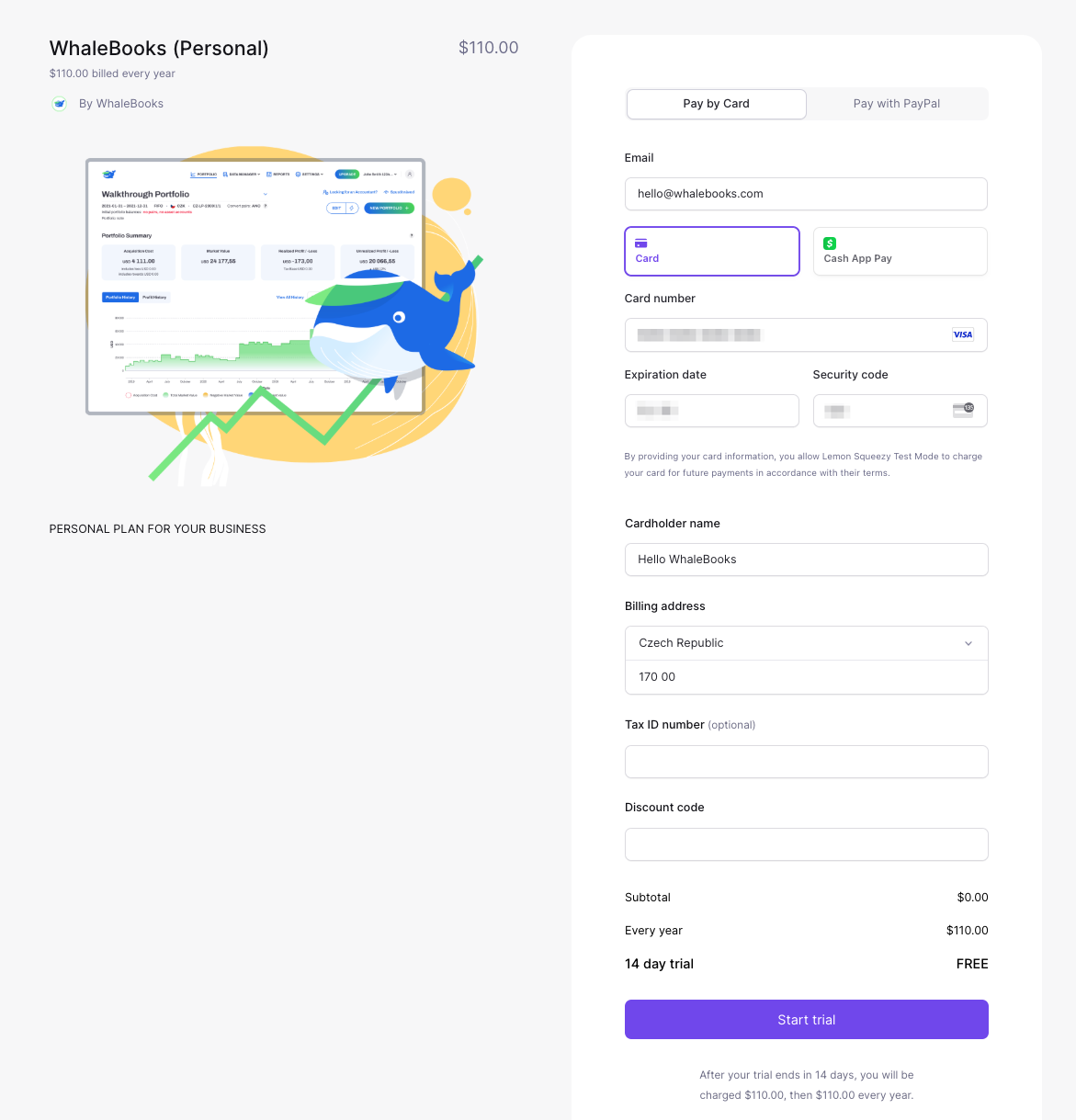
On the checkout page, on the left is your selected pricing plan and on the right is your payment and billing information, which is managed by Lemon Squeezy.
You can choose your preferred payment method and either a credit card or PayPal.
In the Email field, do not change the email address displayed and make sure it matches the address on your WhaleBooks account. If the addresses are different, you need to enter the address corresponding to the WhaleBooks page here. The address is then used as a matching string to link the payment to your account.
Once the billing information is filled in, a local tax can be calculated on top of the base price depending on your location, which is then paid by Lemon Squezy.
The payment summary includes information about the length of the Trial period. During that time, no funds will be charged to your card except for any payment gateway verification payments.
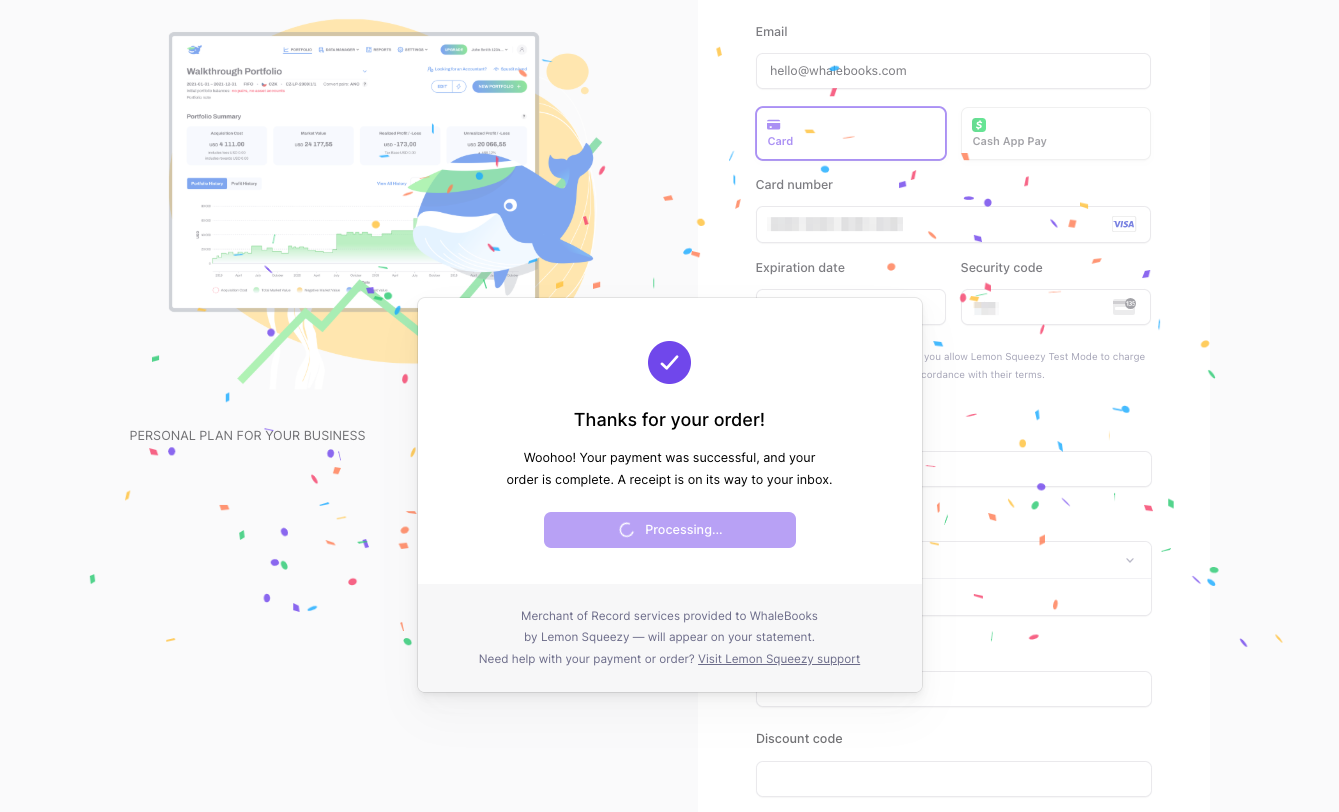
After successful payment, you will be redirected to the Thank You page where your choice of price plan, the length of the Trial period and the start date of the plan are confirmed.
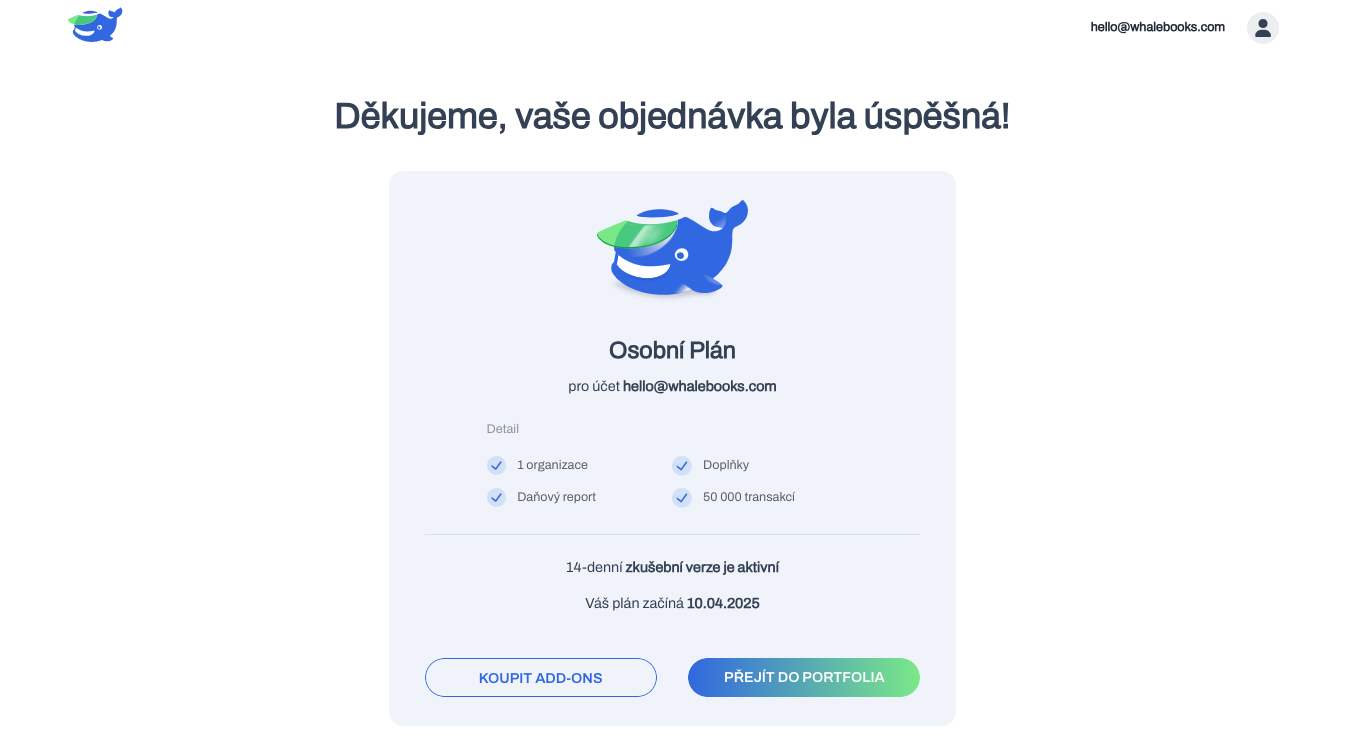
You can go from the thank you page to the portfolio. Or check the status of your subscription.
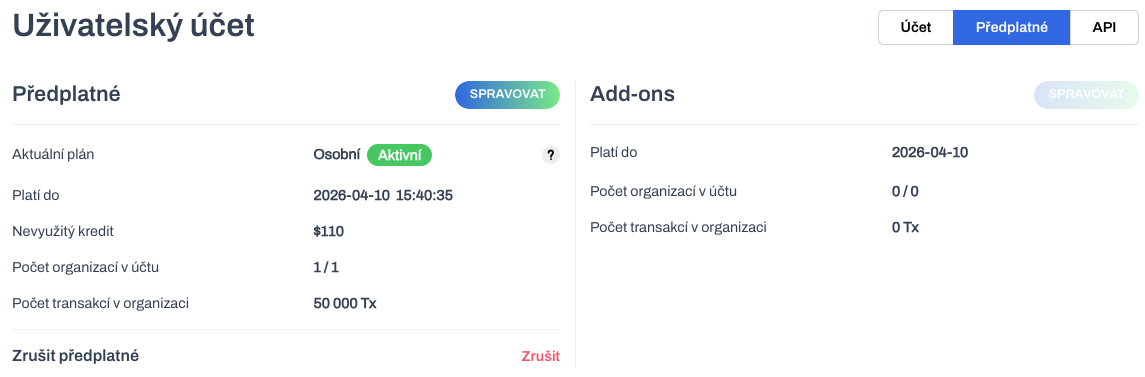
The Subscriptions report now confirms your selected plan and its Trial status. The Valid until information corresponds to the end of the trial period, after which payment will be made and you will move to Active status. Unused credit has a value of zero because no payment has yet been made during the Trial phase.
When the Trial period expires, the payment is automatically made and the plan switches to Active.